
Why SANFAANI service was built
SANFAANI brings device charging, coworking, inventory sales, and digital receipts into one place. It helps staff run daily operations without switching between separate records.
The problem
Staff tracked charging sessions, desks, inventory, sales, cash, and paper tickets in separate manual records. Errors were common, devices could be mixed up during pickup, and staff could not see revenue in real time.
The decision
We use one workflow for each business action. Each action creates one record for the service, payment, receipt, and audit history:
Service → Transaction → Thermal/QR Receipt → AuditLog.
The result
SANFAANI grew from a CRUD project into a working platform for hardware sessions, payments, staff permissions, and audit records.
What SANFAANI does
SANFAANI is a single platform for hub operations. Each area has its own module, while financial and security records stay in shared ledgers.
Charging Station Management
Staff can track charging bays and ports, battery capacity, power use, active timers, session expiry, and one-time QR codes for device pickup.
Coworking & Workspace Hub
Staff can assign desks, private rooms, and booths, view occupancy, track hourly or daily passes, manage memberships, and bill overtime.
Stock & Inventory Control
The module manages product records, unit costs, reorder alerts, stock movement, and stock updates after a sale.
Point of Sale & Thermal Receipts
Checkout supports cash, transfers, and cards. It can print PDF or 58mm/80mm thermal receipts and send WhatsApp notifications in the background.
Technology stack
| Layer | Technology | What it does | Where it runs |
|---|---|---|---|
| Presentation (Frontend) | React 18 + Vite + TypeScript + Tailwind CSS | User interface, TanStack Query caching, route guards, and QR scanning | Vercel Edge CDN |
| API & Business Engine | Node.js + Express + Zod + Mongoose | Validates requests, checks roles, tracks sessions, creates PDFs, and records audits | Render Web Service |
| Data Persistence | MongoDB Atlas 7.x | Stores documents, transactions, indexes, and expiring audit logs | Atlas Managed Cluster |
| Authentication & JWT | Supabase Auth | User accounts, password hashing, session tokens, and staff credentials | Supabase Cloud |
| API Contract Specification | OpenAPI 3.1 + Orval Generator | Generates typed clients and keeps API schemas in sync | Build-Time Monorepo |
| Receipt & QR Engine | pdf-lib + qrcode + canvas | Creates PDFs, thermal receipts, and signed claim tokens | In-Memory Node Worker |
Inventory cost and margin
SANFAANI keeps Inventory Value, Potential Margin, and Realized Gross Profit separate. Unsold stock is not profit, so mixing these figures would make reports misleading.
| Metric | Status | Formula | Meaning |
|---|---|---|---|
| Inventory Cost | Implemented | Units_In_Stock × Unit_Cost_Price |
Money currently tied up in stock. |
| Retail Value | Designed / Projected | Units_In_Stock × Unit_Selling_Price |
What the stock could bring in if every item sells at full price. |
| Potential Margin | Designed / Projected | Retail_Value - Inventory_Cost |
Expected margin before discounts, loss, or overhead. |
| Realized Gross Profit | Implemented | ∑(Sold_Units × (Actual_Sale_Price - Unit_Cost)) |
Profit recorded in the ledger after checkout. |
Inventory calculator
See how cost, selling price, and stock levels affect inventory cost and possible margin.
Architecture diagrams and system flow
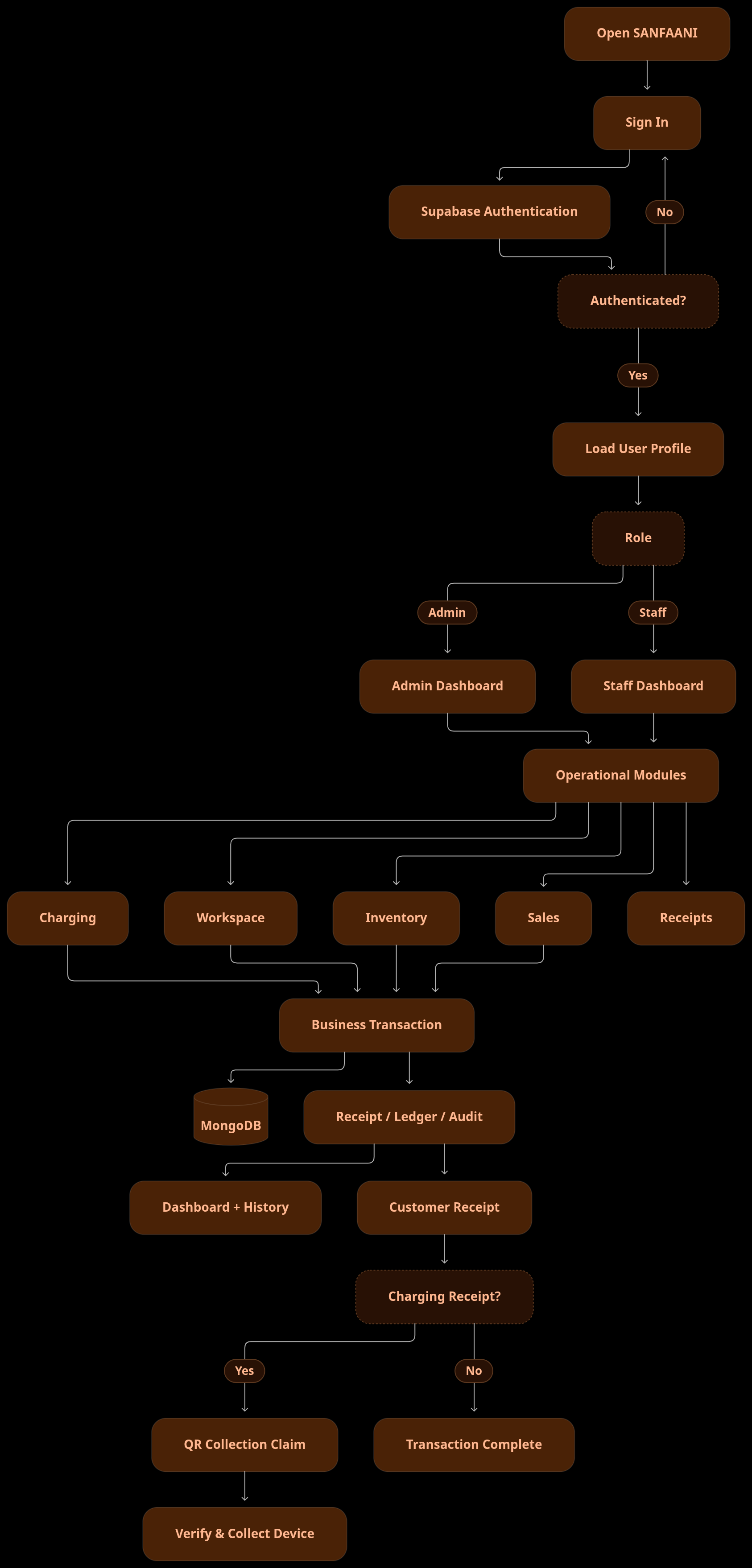
These diagrams show how SANFAANI handles security, background notifications, financial records, and QR claim tokens.
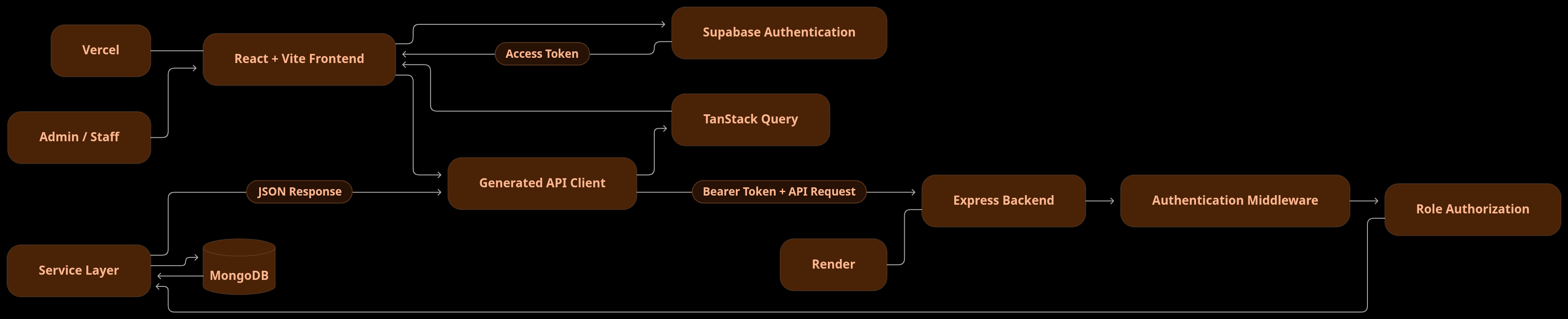

// Strict boundary: All client payloads pass Zod schema before controller access
export const authorizeRole = (...allowedRoles: Role[]) => {
  return (req: AuthenticatedRequest, res: Response, next: NextFunction) => {
    if (!req.user || !allowedRoles.includes(req.user.role)) {
      return res.status(403).json({
        error: "Forbidden",
        message: "Your authenticated role lacks execution privileges for this endpoint."
      });
    }
    next();
  };
};

Staff start a charging or coworking session in the app. The app sends the customer contact, port, and session length to the API.
The database saves the transaction in the charging_sessions and financial_transactions collections as one operation.
The system creates a signed, one-time claim token and adds it to a PDF or 58mm receipt with an encrypted QR code.
The customer shows the receipt. Staff scan the QR code, and the backend checks that the token is still valid and unused: status === 'UNCLAIMED' && validToken === true.
The system invalidates the token, changes the session to COLLECTED, frees the port, and records the action in the AuditLog collection.


// Core transaction commits FIRST. Notification dispatches asynchronously.
export async function processSaleTransaction(payload: SalePayload) {
  const tx = await TransactionModel.create(payload);

  // Non-blocking notification dispatch
  queueMicrotask(async () => {
    try {
      await notificationService.dispatchWhatsAppReceipt(tx);
    } catch (err) {
      // Third-party network outages NEVER roll back core sales ledger
      logger.warn('[Notification] Dispatch failed, flagged for retry:', err.message);
    }
  });

  return tx;
}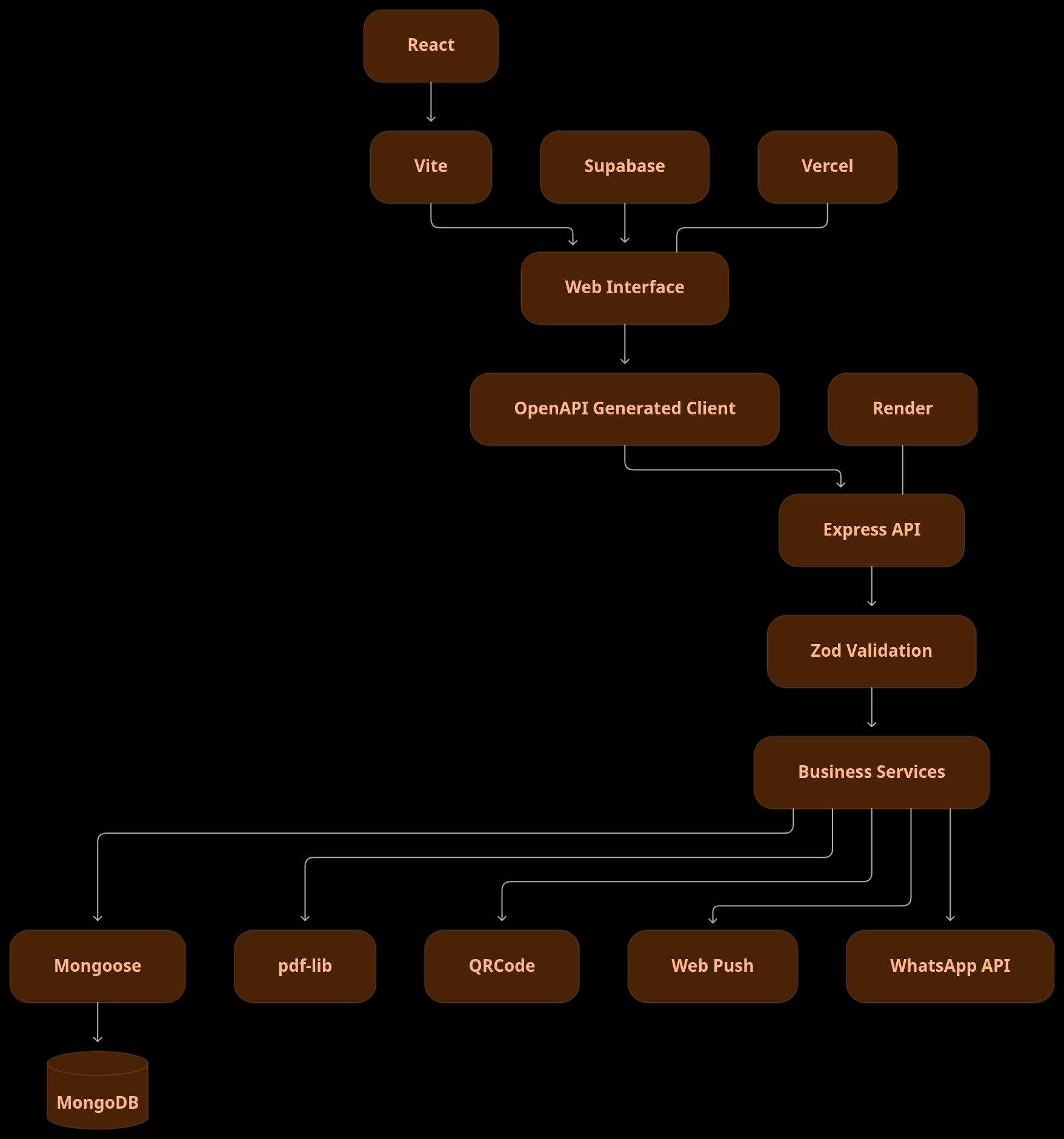

Layer 1: App and edge
The React app runs on Vercel with HTTPS and cached assets.
Layer 2: API and business logic
The Node.js and Express API runs on Render with scaling, JWT checks, rate limits, and Zod validation.
Layer 3: Identity and authentication
Supabase Auth manages password hashing, token refresh, and session expiry.
Layer 4: Data storage
MongoDB Atlas stores the data across regions and supports backups, connection pooling, and multi-document transactions.
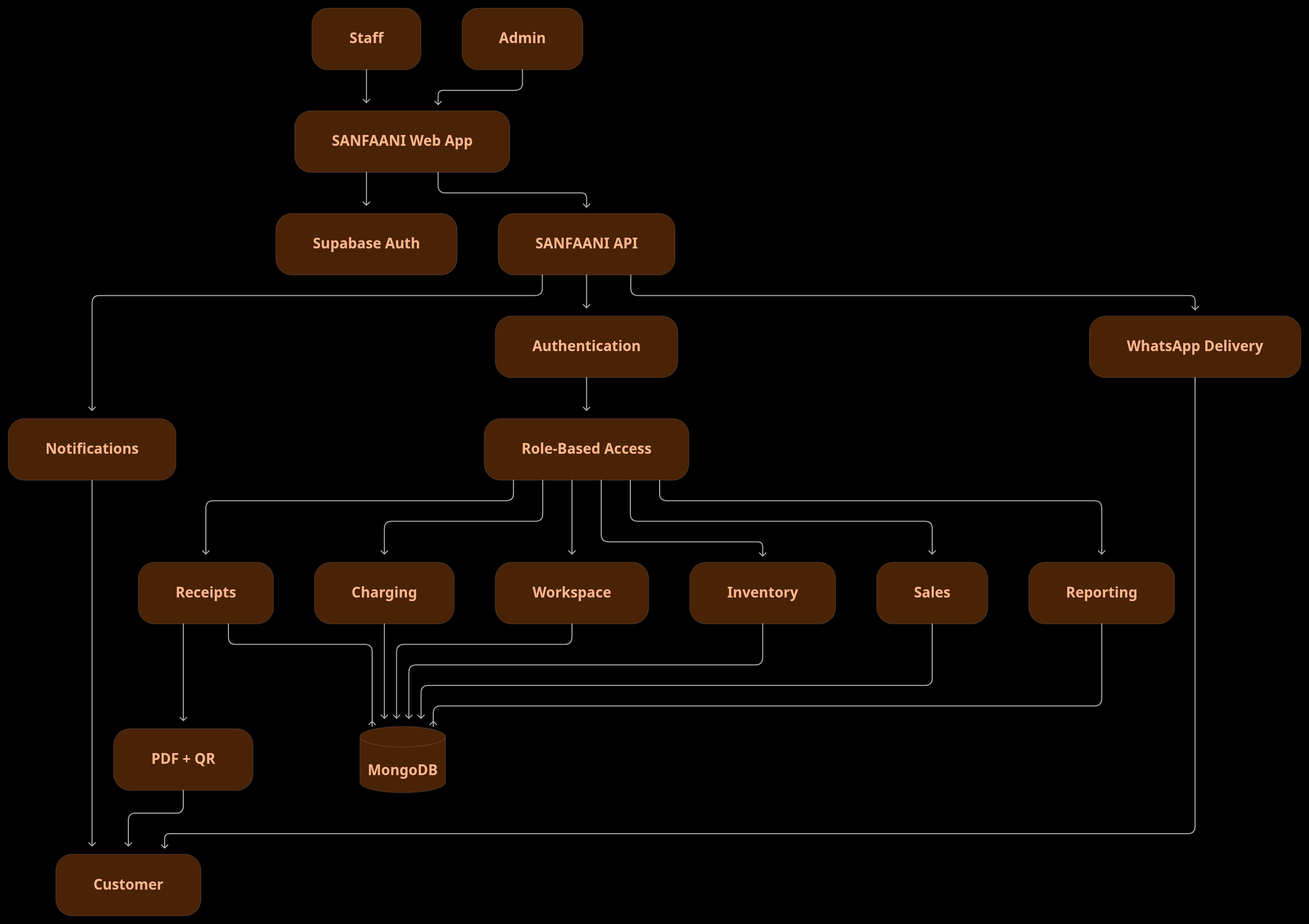

| Module | Transaction Type | Ledger entry | Receipt created |
|---|---|---|---|
| Charging Station | SERVICE_CHARGING |
Debit Cash/Bank • Credit Charging Revenue | PDF, thermal receipt, and one-time QR code |
| Coworking Space | SERVICE_WORKSPACE |
Debit Cash/Bank • Credit Space Revenue | Access pass and session receipt |
| Inventory / Retail POS | PRODUCT_SALE |
Debit Cash • Credit Sales • Decrement Stock Units | Itemized thermal bill and digital receipt |

// Every operational action automatically logs to an immutable append-only collection
export interface AuditLogDocument {
  action: "SESSION_START" | "PAYMENT_RECEIVED" | "STOCK_MUTATION" | "QR_CLAIM_RELEASED";
  operatorId: string;
  role: "ADMIN" | "STAFF";
  resourceId: string;
  previousState?: Record<string, unknown>;
  nextState: Record<string, unknown>;
  ipAddress: string;
  createdAt: Date;
}Application interfaces and screens
These screen captures show the main user interfaces in SANFAANI, ordered from the public landing portal to internal system settings.

Public portal displaying operational hubs, charging rates, workspace passes, and center locations.
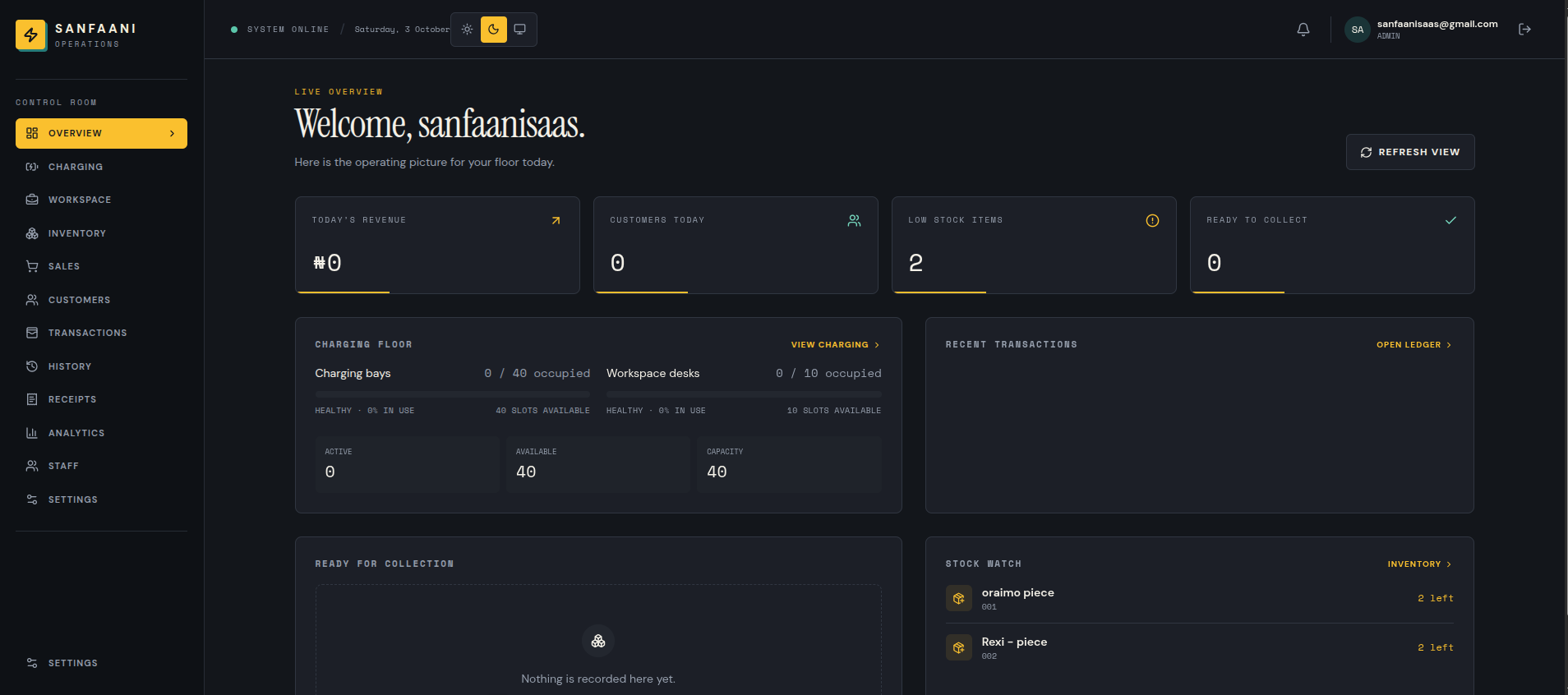
Executive dashboard for center administrators to track revenue, active charging bays, visitor volume, and inventory movement.
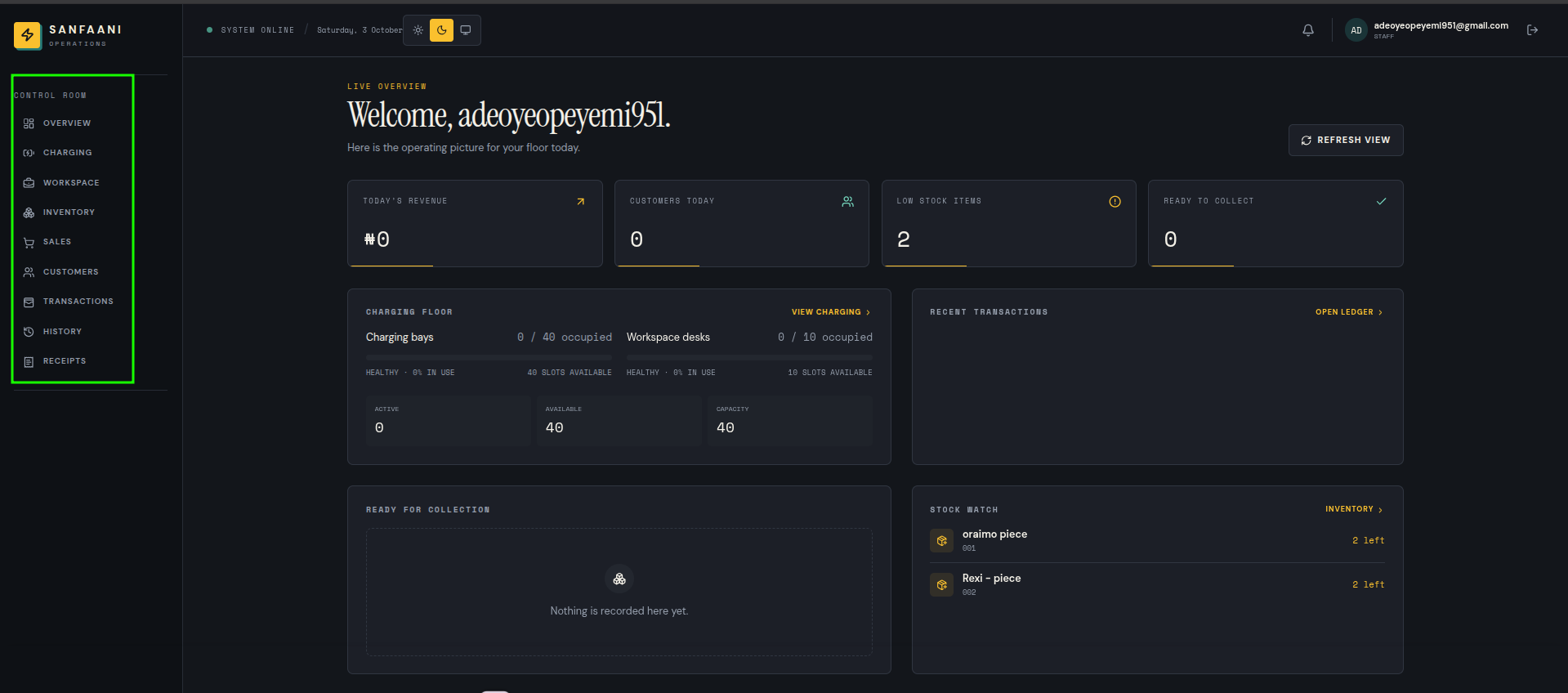
Front-desk operational screen for on-duty staff to start charging sessions, check in workspace guests, and process sales.
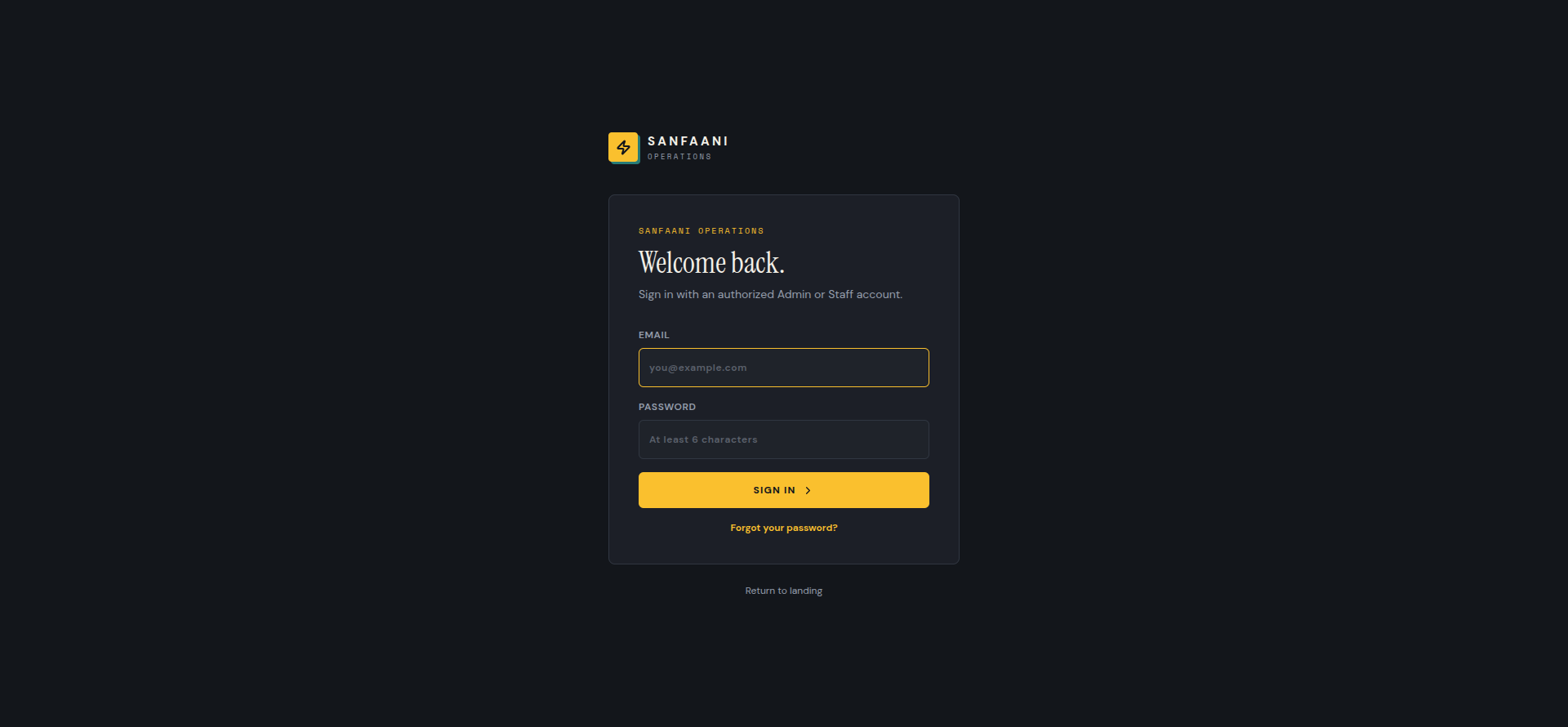
Authentication interface enforcing password checks, role assignments, and session token generation.
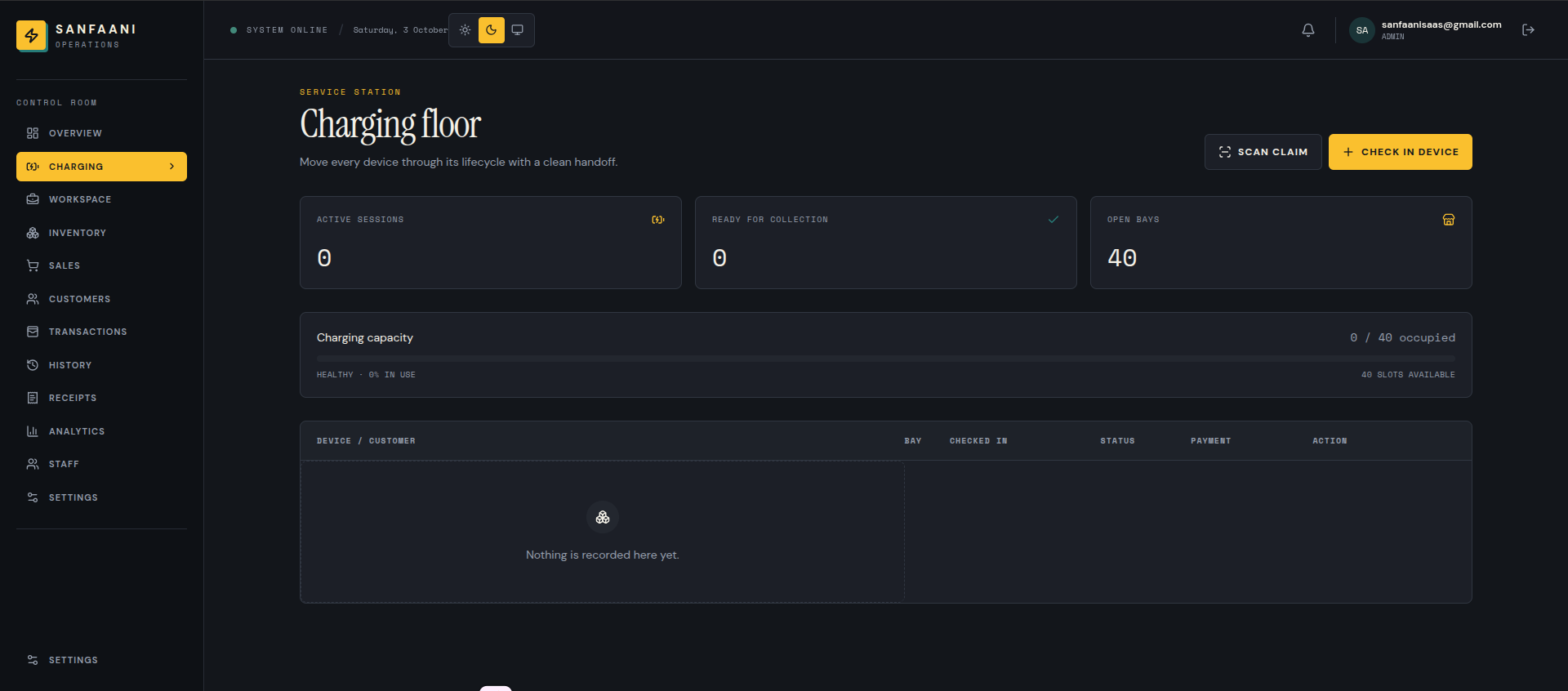
Live grid tracking power outlets, device bay occupancy, active timers, and automatic session shutoffs.
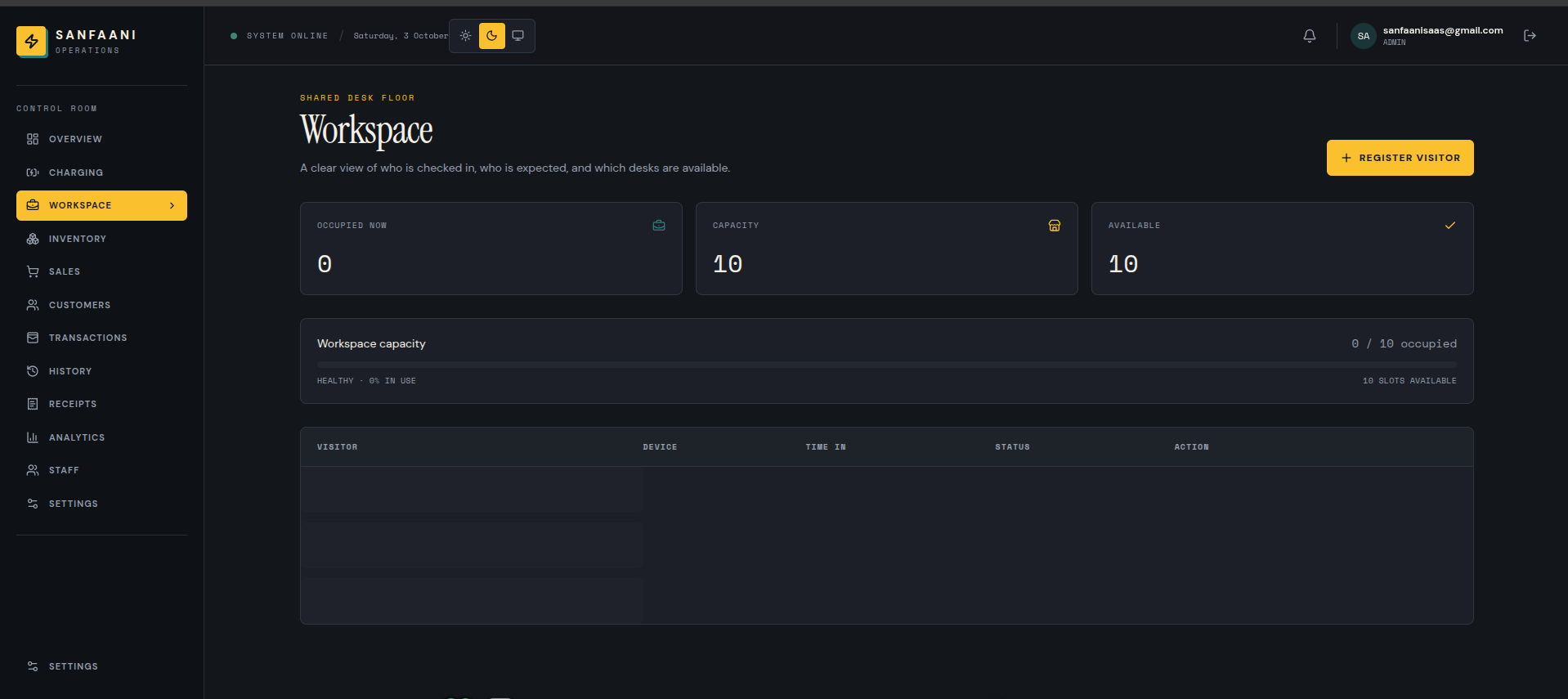
Desk reservation panel managing hourly seating, hot-desk access, power access, and active visitor counts.
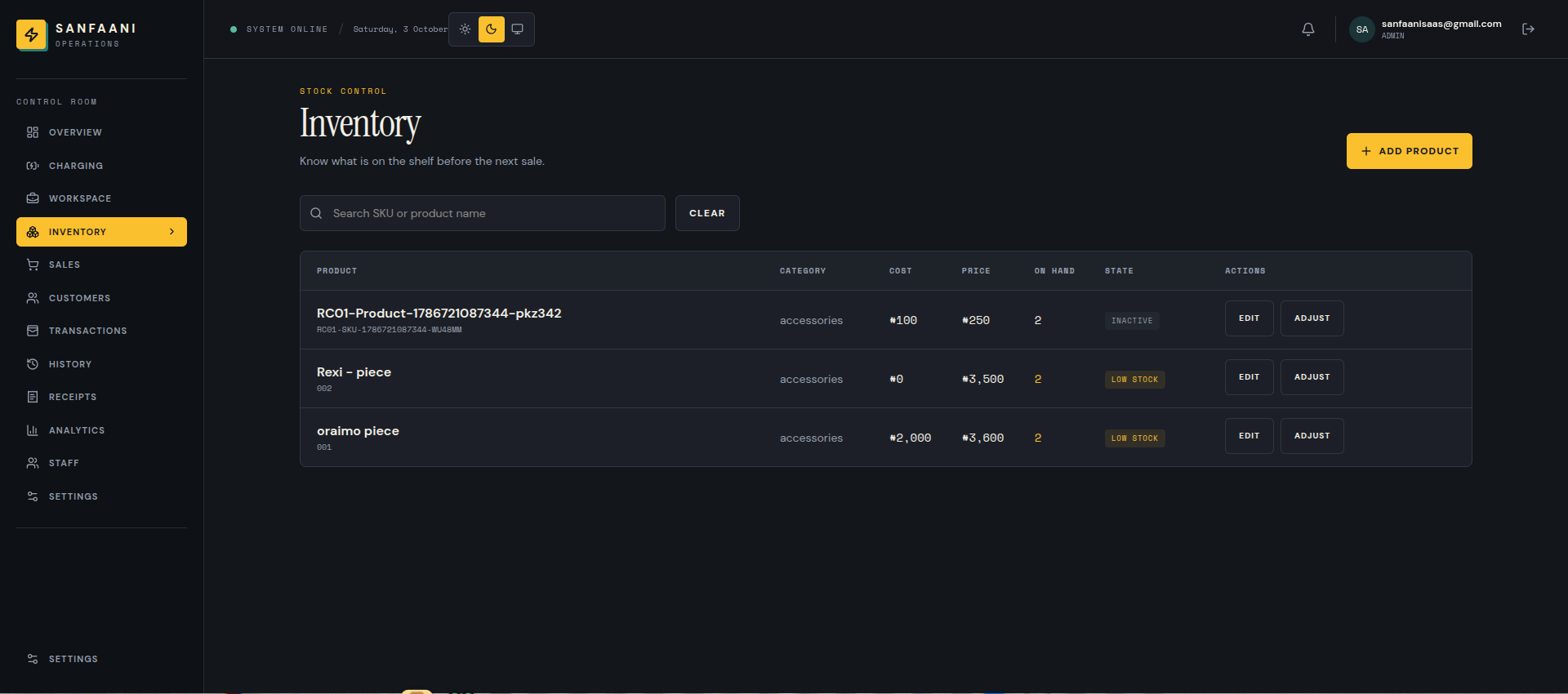
Product catalog tracking wholesale unit costs, retail margins, stock quantities, and low-inventory alerts.
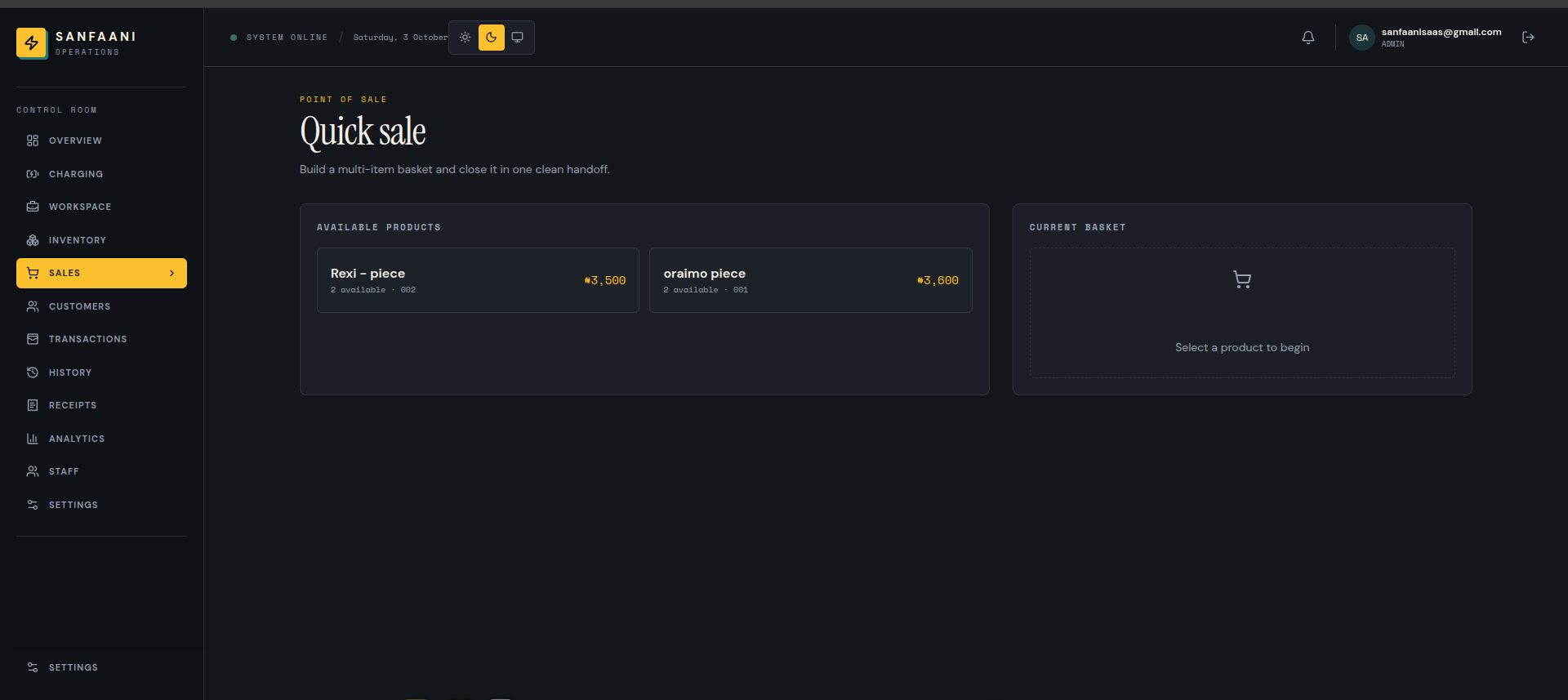
Checkout counter supporting multi-item selection, split payment options, discounts, and receipt printing.
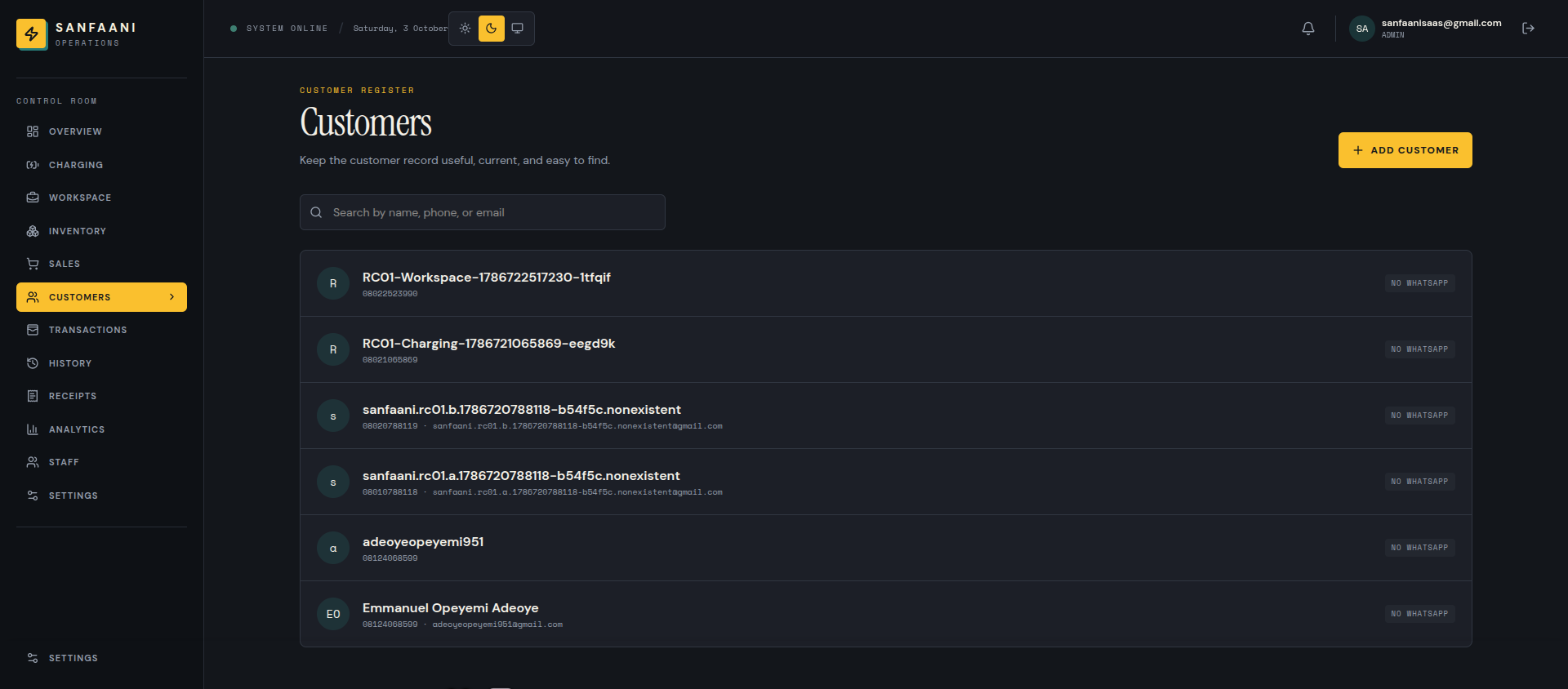
Admin panel for updating charging rates, workspace pricing, service descriptions, and public site notices.
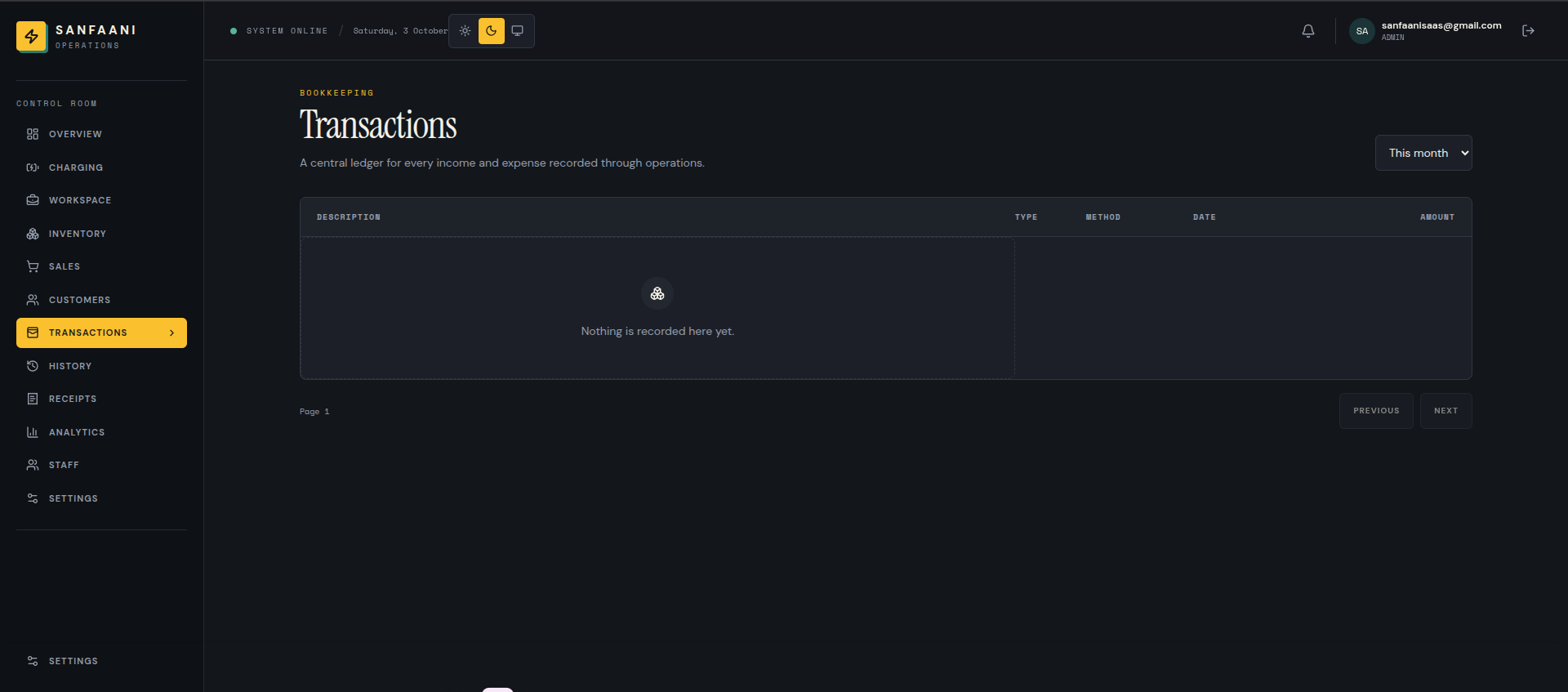
Central ledger logging every incoming payment, payment method, reference code, timestamp, and receipt.
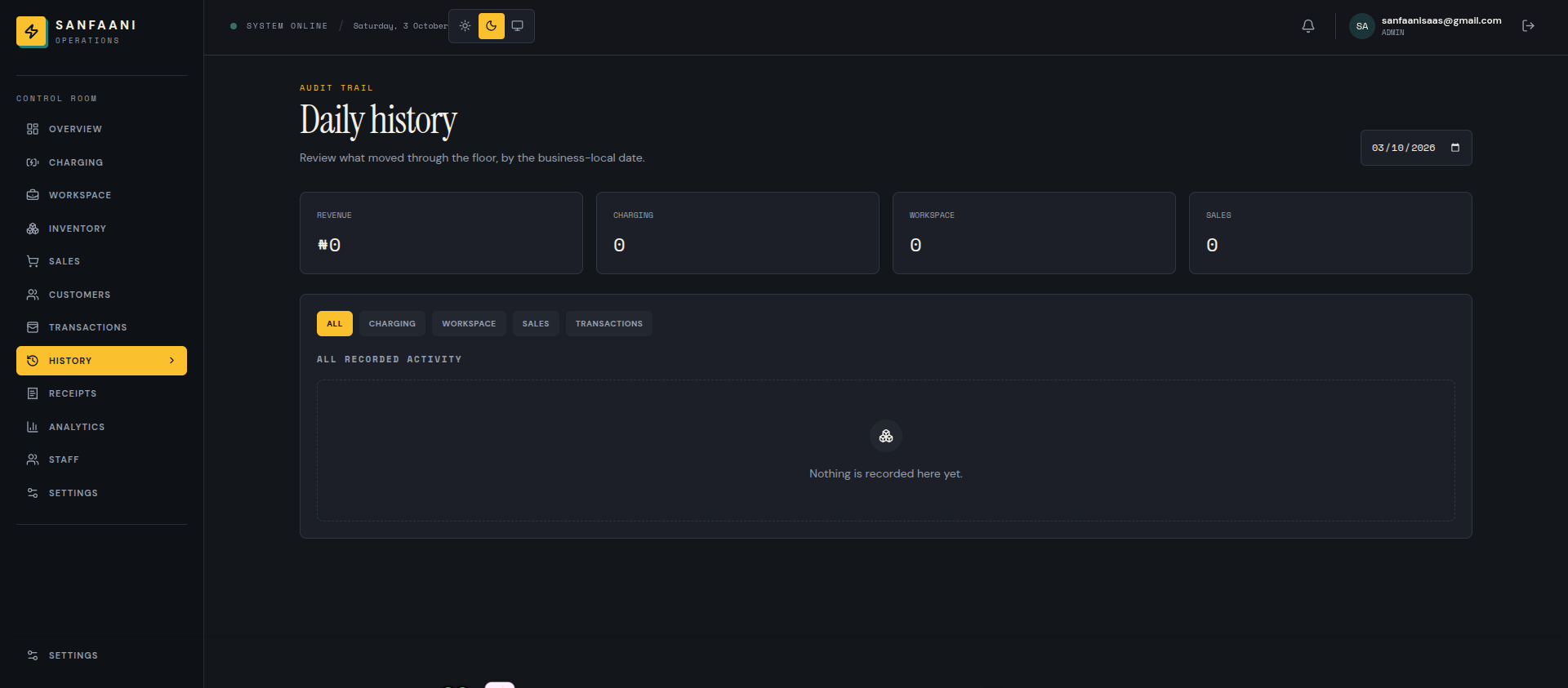
Day-by-day operational summary showing total power usage, active visitor throughput, and daily register totals.
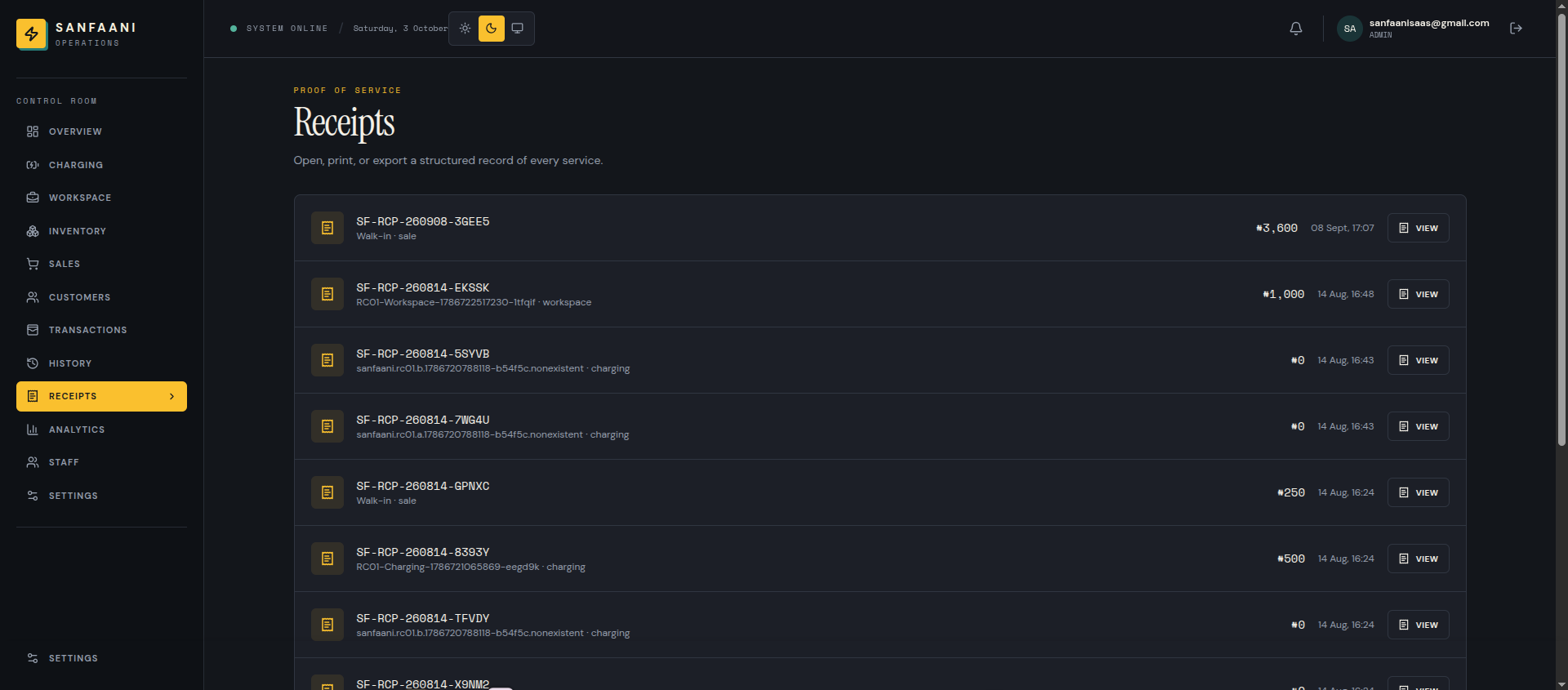
Receipt archive allowing staff to view past sales, reprint 58mm/80mm thermal slips, or resend WhatsApp receipts.
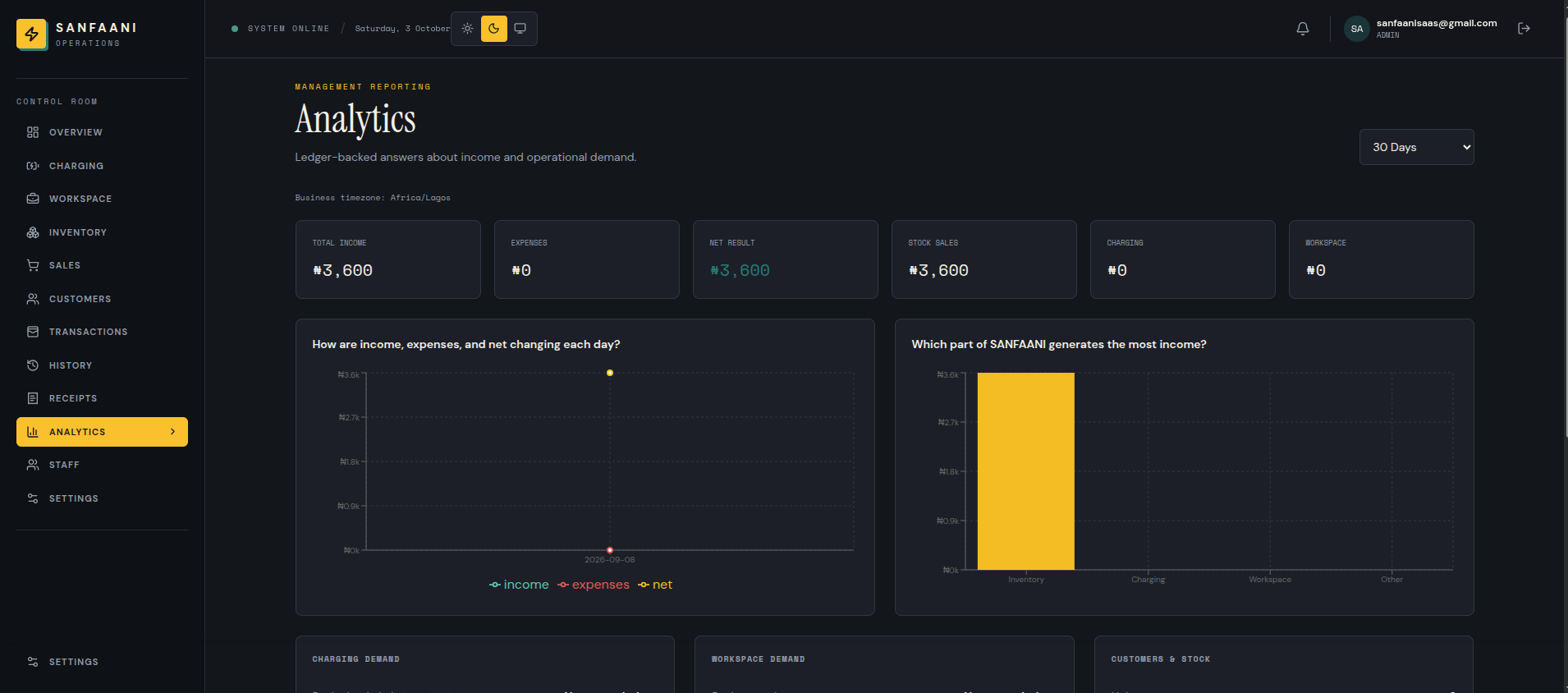
Reports dashboard displaying revenue by service type, peak charging hours, and inventory profit margins.
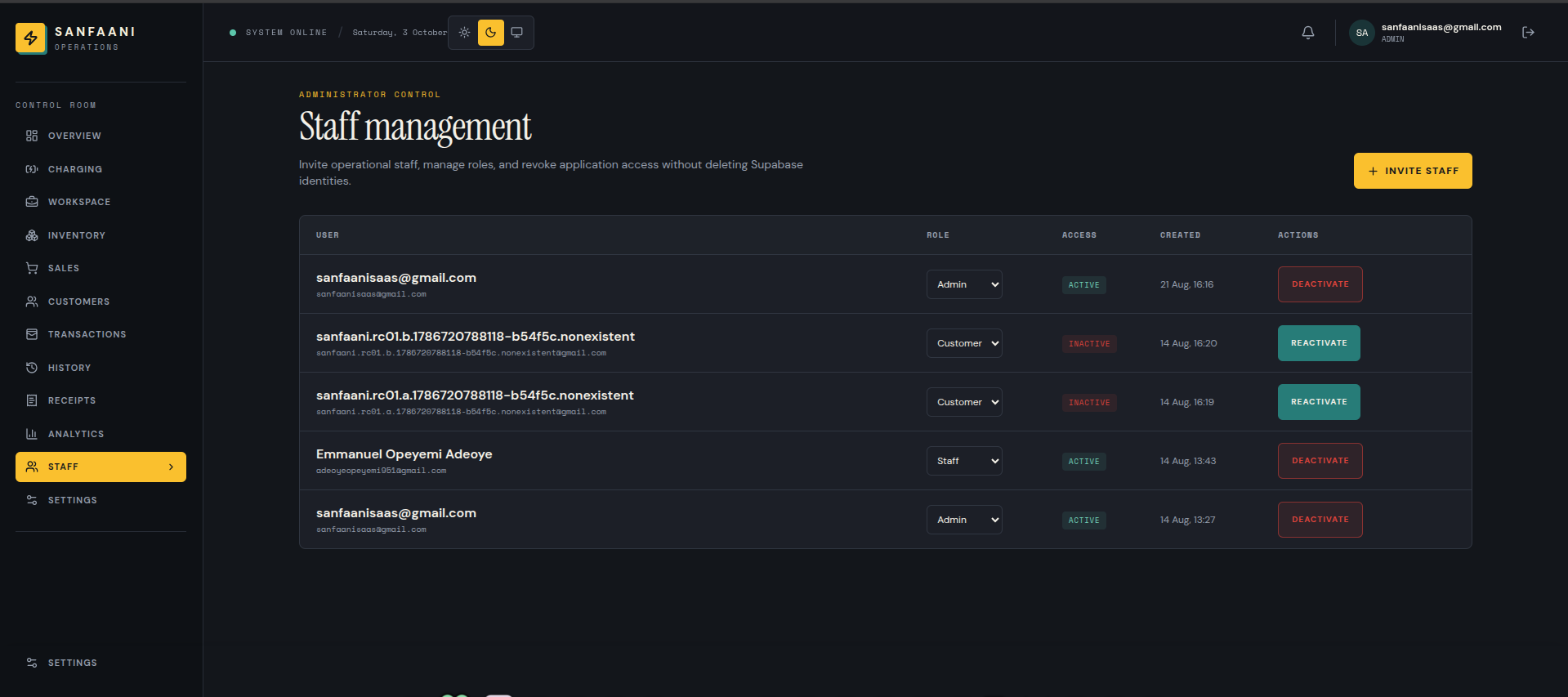
User management directory for setting up staff accounts, updating permission roles, and reviewing shift activity.
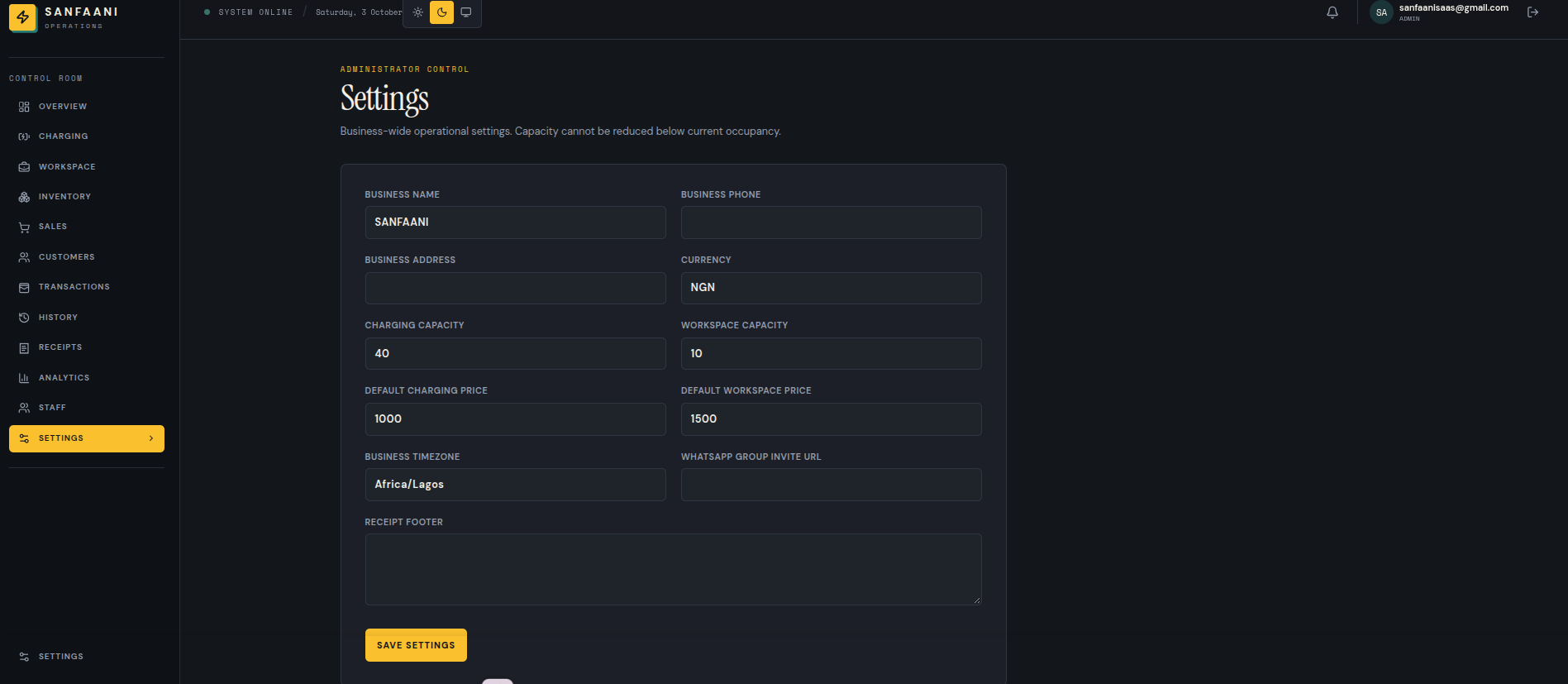
Configuration panel for custom receipt header text, WhatsApp messaging webhooks, port numbers, and database backups.
Who can do what
Authentication identifies the user. Authorization controls what that user can do. The backend keeps financial records and inventory changes away from staff who do not need access.
| Action | Staff Role | Center Admin Role | Super Admin Role |
|---|---|---|---|
| Create a charging or workspace session | Allowed | Allowed | Allowed |
| Scan and verify a QR claim token | Allowed | Allowed | Allowed |
| Complete a sale and print a receipt | Allowed | Allowed | Allowed |
| Change an item cost | Denied (403) | Allowed | Allowed |
| View actual margins and reports | Denied (403) | Allowed (Hub Only) | Allowed (Global) |
| View and export audit logs | Denied (403) | Read-Only | Full Access |
| Create or disable staff accounts | Denied (403) | Allowed | Allowed |
What I learned building SANFAANI
Building SANFAANI taught me how to design a system that needs reliable operations, accurate financial records, and consistent data.
Authentication vs. Authorization
A valid login JWT proves who someone is, but it does not give them every permission. Each route must check the role assigned to the user, so front-desk staff cannot view profit margins or change SKU costs.
Keep core work separate
A sale should not depend on a third-party service. If WhatsApp fails or the printer jams, MongoDB should keep the sale and a background worker should retry the notification.
Model money carefully
Unsold inventory is not revenue. Keep possible sales value separate from actual profit, and calculate profit when the sale is confirmed.
Define the data rules first
Writing the OpenAPI and Zod schemas first prevented data mismatches, runtime type errors, and a lot of manual API client work.